Quick answer: can most iPads be repaired the same day?
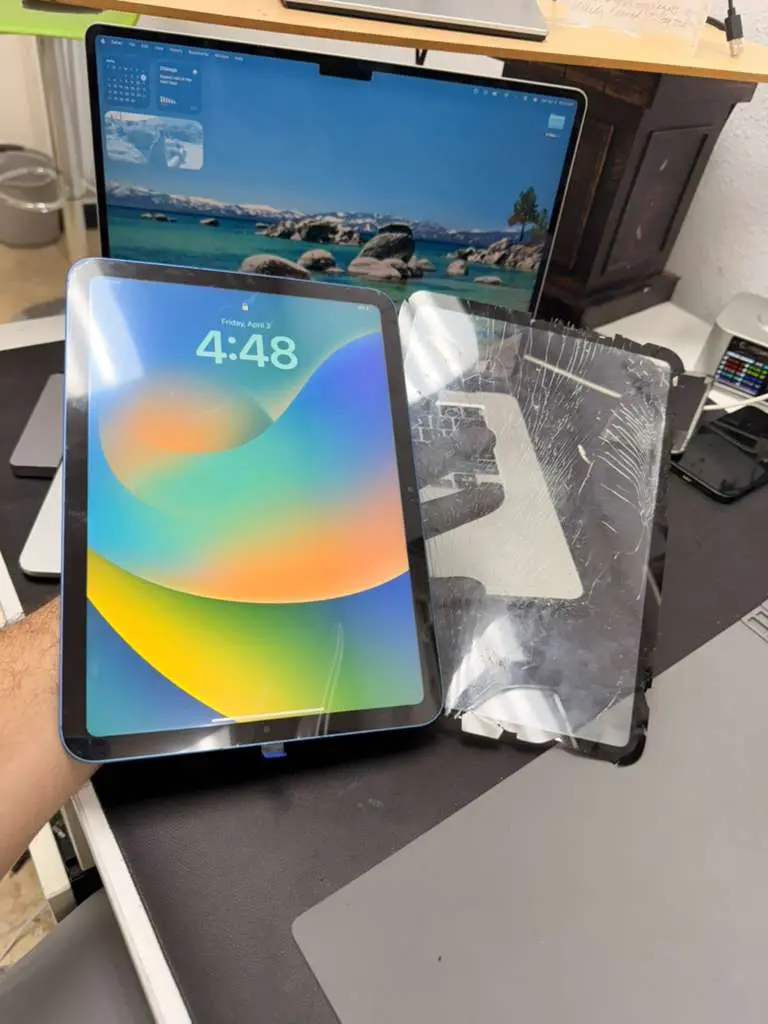
Many iPad issues can be repaired quickly, especially cracked glass on models where the glass (digitizer) is separate from the LCD. Some newer iPads require a full display assembly, which can take longer depending on parts availability.
If you want the fastest answer for your exact iPad model, use our quote tool or contact us here:
iPad & Tablet RepairGet a PriceCall (346) 808-0948
Why iPad repair prices vary so much
iPad repair isn’t “one price fits all.” Two iPads can look the same but use totally different screen assemblies. The biggest pricing factors usually are:
- Model type: base iPad vs Air vs Pro (and screen size).
- Glass-only vs full screen: some iPads can replace the glass only; others require the whole display.
- Part availability: some parts are special order.
- Frame condition: bent frames can cause new screens to crack again if not corrected.
Cracked iPad glass vs broken LCD: what’s the difference?
This is the #1 thing that determines cost. Here’s the simple way to tell:
If the picture looks perfect
If your display looks normal (no lines, no black spots, no “ink” blotches), you may only need the glass replaced on certain models. That often costs less than a full screen replacement.
If you see lines, black spots, or no image
That usually means the LCD/OLED is damaged. On many iPad models, that means replacing the full display assembly.
Common iPad repairs we do (besides screens)
- Battery replacement: if your iPad drains fast or shuts down early.
- Charging port repair: slow charging, loose cable, or “only charges at an angle.”
- Water damage diagnostics: especially if it won’t turn on or has ghost touch.
- Speaker / mic issues: muffled audio, FaceTime problems, or no sound.
How long does iPad repair take?
Most iPad repairs fall into a few common timing buckets:
- Same-day: many glass repairs, battery swaps, and common parts (when in stock).
- 1–2 days: some full screen assemblies, port repairs, or advanced diagnostics.
- Special order: certain iPad Pro/Air screens or uncommon models.
What to do before you bring your iPad in
- Back up your iPad (iCloud or computer backup), just in case.
- Turn off Find My only if a shop specifically requests it (often not needed for many repairs).
- Don’t keep using a cracked iPad if glass is lifting dust can damage the LCD.
- Bring the charger if you’re dealing with charging issues so we can test quickly.
Need iPad repair in Houston?
If you’re searching for “iPad repair near me” in Houston, we can help with screen repair, battery replacement, charging issues, and more. Tell us your model and what’s happening, we’ll confirm options and pricing.
View iPad Repair ServicesGet a PriceText (346) 808-0948
FAQ
Can you replace only the glass on my iPad?
Sometimes. On many base-model iPads, the glass (digitizer) is separate from the LCD, so we can replace just the glass. On newer iPad Air/Pro models the glass and LCD are fused, but if the LCD is still perfect (no lines, black spots, or ink bleed), we can often do glass-only using professional refurbishing tools to separate and re-laminate the glass. If the LCD is damaged, a full display replacement is required.
Will I lose data during iPad repair?
In most screen and battery repairs, your data stays intact. We still recommend a backup before any repair, just to be safe.
Why does my iPad charge only when the cable is angled?
That’s commonly lint in the port, a worn port, or a damaged flex connection. We can diagnose and confirm the fix.
Tip: For the fastest answer, message us your iPad model (example: “iPad 9th Gen” or “iPad Pro 11”).